Related Links
Syncovery
Syncovery is a file backup and synchronisation software that allows you to backup your data to local drives, network shares, and cloud storage. It works with a variety of operating systems, including Windows, Mac OS, Linux, and FreeBSD, as well as internet protocols such as FTP, FTPS, SFTP/SSH, WebDAV, SSL, HTTP, and Amazon S3 web storage.
Use Syncovery to access, manage, and backup your files to IDrive® e2 storage
- Download and launch Syncovery.
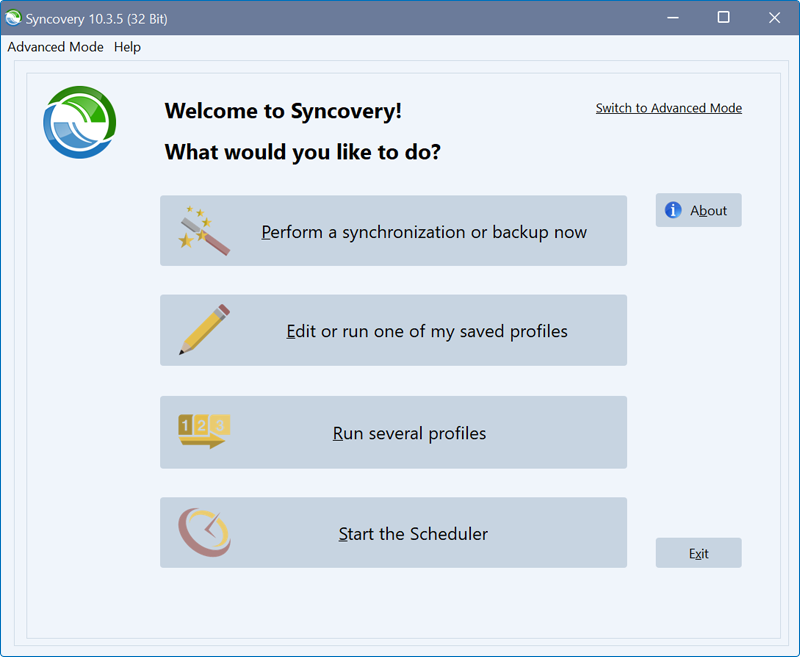
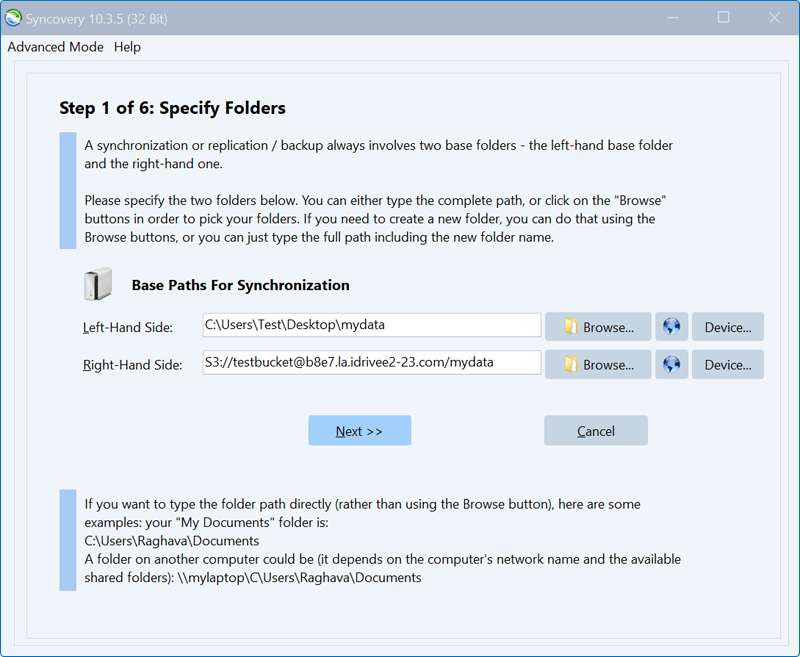
- Click Perform a synchronization or backup now.
- Under Base Paths for Sychronization, click Browse corresponding to Left-Hand Side and specify the path for the local folder to backup.
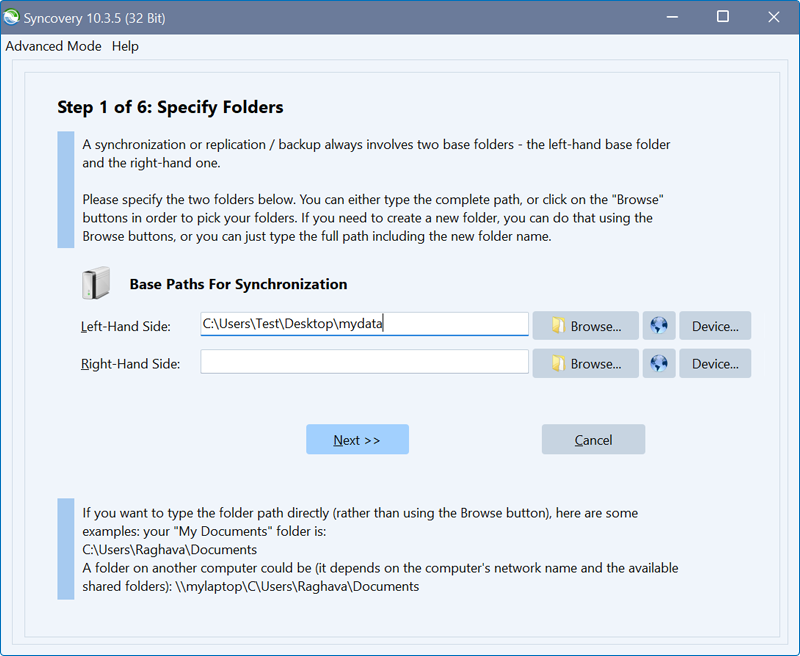
- To configure IDrive® e2 as Right-Hand Side for synchronization and backup, click
 and select S3 from the Protocol dropdown.
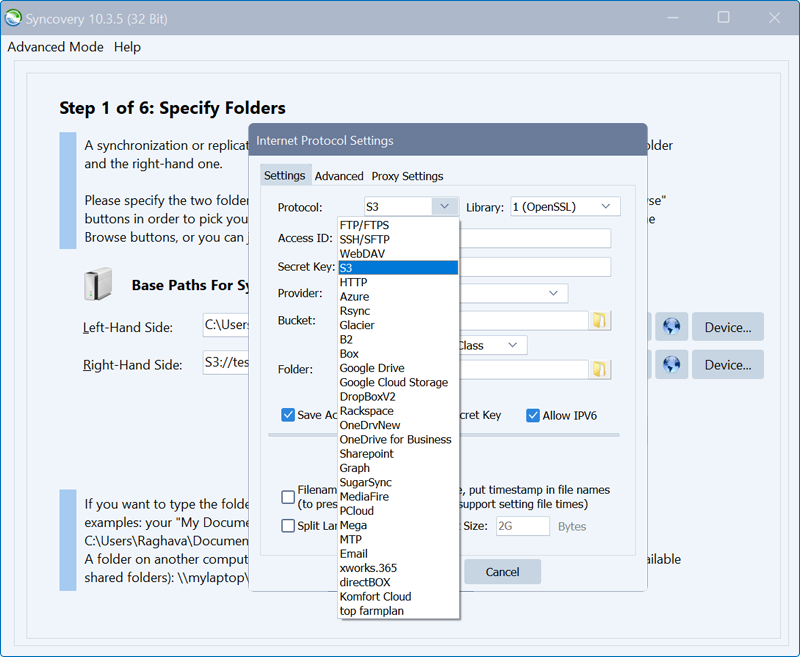
- Input the IDrive® e2 Access key ID and Secret access key. You can get the IDrive® e2 endpoint URL, Access Key ID and Secret Access Key from the Access Keys section of IDrive® e2.
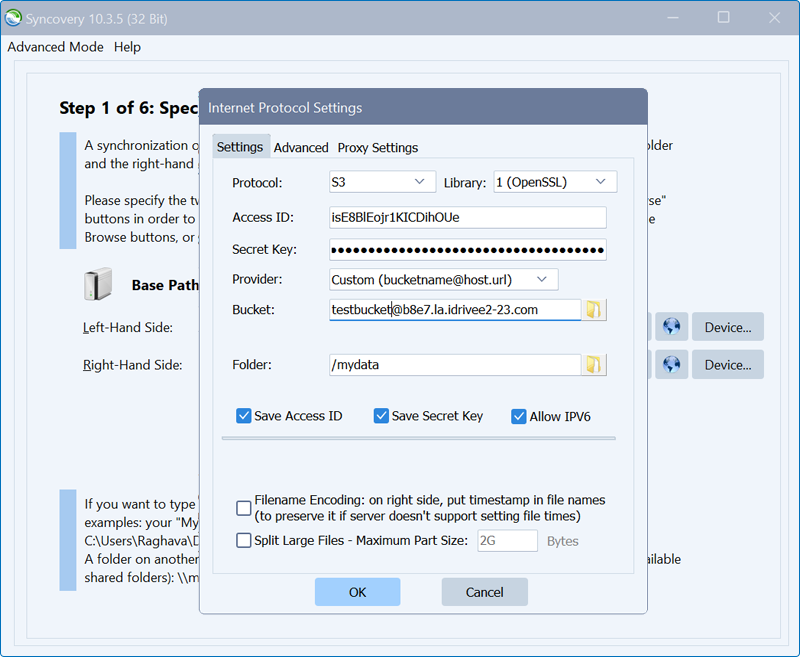
- Select IDrive® e2 as Provider, choose the desired Bucket, and the desired Folder.
Note: Specify the bucket name as <bucketname>@<IDrive® e2 storage endpoint URL>
For example,
testbucket@b8e7.la.idrivee2-23.com - Tick the Save Access ID, Save Secret Key, Allow IPV6 checkboxes. Click OK.
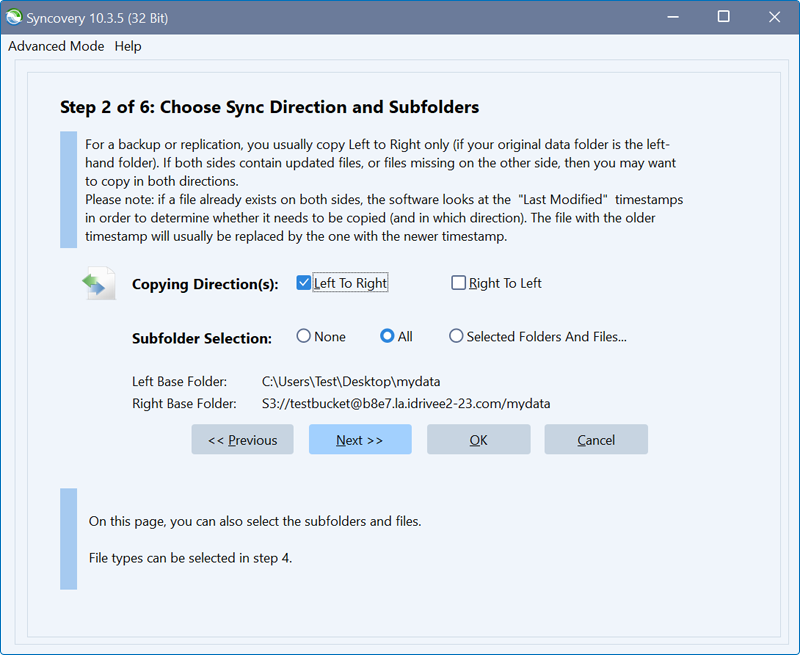
- Click Next.
- Configure Sync Job Settings, Copying Direction(s), Subfolder Selection, and schedule.
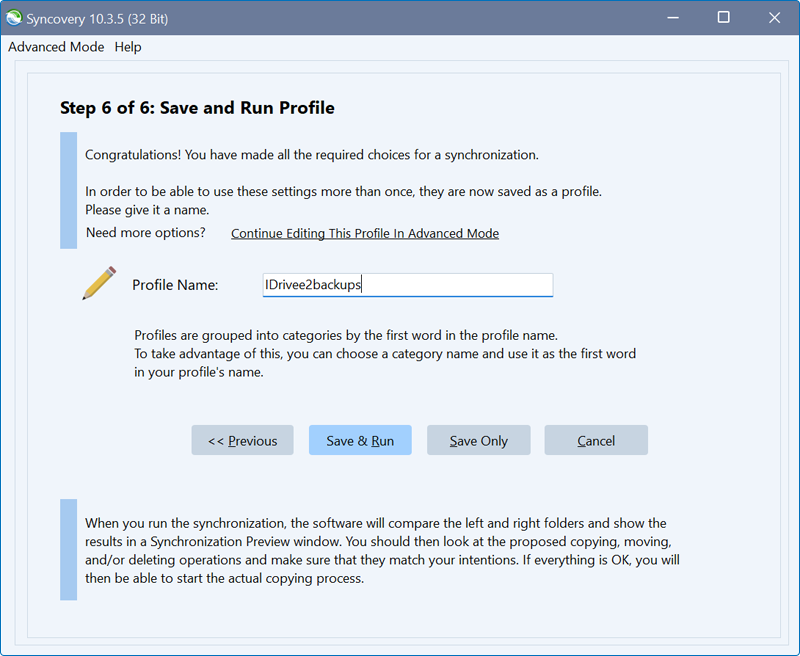
- Enter the profile name, and click Save & Run.
Note: Data restoration is handled by your specific backup solution provider and is affected by multiple variables that are unique to your environment. For application-related enquiries/support, it is strongly recommended you seek guidance from the technical team of your backup solution provider.